




Can I send an audio message on Signal?
 Dec 25, 2025|
 Yes, you can send an audio message on Signal. Signal is a well - known and highly secure messaging application that offers a variety of communication features, including the ability to send audio messages. This functionality provides users with an alternative way to communicate, especially when typing might not be convenient.
How to Send an Audio Message on Signal
Sending an audio message on Signal is a straightforward process. First, open the Signal application on your device, whether it's a smartphone or a tablet. Navigate to the chat window of the person or group you want to send the audio message to.

Once you're in the chat, look for the microphone icon. On most mobile devices, this icon is usually located near the text input field. Tap and hold the microphone icon, and start speaking. As you speak, Signal will record your voice. You can see a visual indicator on the screen that shows the recording is in progress.
When you're done speaking, release the microphone icon. Signal will stop the recording. Before sending the audio message, you have the option to listen to the recording. There is usually a play button next to the recorded audio snippet. If you're satisfied with the recording, tap the send button, and the audio message will be transmitted to the recipient.
Advantages of Sending Audio Messages on Signal
One of the main advantages of using Signal for sending audio messages is its strong security features. Signal uses end - to - end encryption, which means that only the sender and the intended recipient can access the content of the audio message. Even Signal itself cannot decrypt the messages. This is crucial for users who are concerned about privacy, such as journalists, activists, and individuals who deal with sensitive information.
Audio messages also offer a more personal touch compared to text messages. The tone of voice, intonation, and emotion in a person's voice can convey a lot more meaning than plain text. For example, a simple "Thank you" in an audio message can sound much warmer and more sincere when accompanied by the right tone of voice.
In addition, audio messages can be more convenient in certain situations. For instance, if you're on the go, driving, or have your hands full, it's easier to record an audio message than to type a text. You can quickly convey your thoughts without having to stop what you're doing.
Compatibility and Device Support
Signal is available on multiple platforms, including iOS and Android devices. The process of sending audio messages is consistent across these platforms, ensuring a seamless user experience. Whether you're using an iPhone or an Android phone, you can easily record and send audio messages.
On desktop devices, Signal also supports audio message sending. However, the method might be slightly different. Instead of a microphone icon, you may need to use the keyboard shortcut or find the audio recording option in the menu. But the overall functionality remains the same, allowing you to communicate with your contacts using audio messages regardless of the device you're using.
Technical Considerations
When it comes to the technical aspects of sending audio messages on Signal, the application uses efficient codecs to compress the audio files. This ensures that the audio messages are small in size, which is important for reducing data usage, especially for users on limited data plans.
The quality of the audio message depends on several factors, such as the quality of the microphone on your device and the environment in which you're recording. A noisy environment may result in a lower - quality audio message with background noise. To get the best results, it's recommended to record in a quiet place and speak clearly into the microphone.
Our Signal - Related Products
As a Signal supplier, we offer a range of high - quality signal analyzers that can be used in various applications related to signal processing and communication. These analyzers are essential tools for professionals in the fields of telecommunications, electronics, and research.
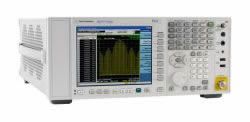
One of our popular products is the N9030A Agilent PXA Signal Analyzer, 3 Hz To 50 GHz. This analyzer provides high - performance signal analysis capabilities over a wide frequency range. It can be used for tasks such as measuring the power, frequency, and modulation characteristics of signals.
Another great option is the N9040B Keysight UXA Signal Analyzer, 2 Hz To 50 GHz. With its wide frequency coverage and advanced features, it is suitable for in - depth signal analysis and troubleshooting. It can help engineers and researchers to accurately analyze complex signals and identify any issues or anomalies.
We also offer the N9000A Agilent CXA Signal Analyzer, 9 KHz To 26.5 GHz. This analyzer is a cost - effective solution for basic to intermediate signal analysis needs. It provides reliable performance and is easy to use, making it a popular choice for small - to - medium - sized businesses and educational institutions.
Contact Us for Purchasing
If you're interested in our signal analyzers or have any questions about sending audio messages on Signal or related signal - processing topics, we encourage you to contact us. Our team of experts is ready to assist you in finding the right product for your needs. We can provide detailed product information, technical support, and help you with the purchasing process. Whether you're a large corporation, a small business, or an individual researcher, we have the products and services to meet your requirements.
References
- Signal official documentation.
- Technical specifications of N9030A Agilent PXA Signal Analyzer.
- Technical specifications of N9040B Keysight UXA Signal Analyzer.
- Technical specifications of N9000A Agilent CXA Signal Analyzer.